What Makes AI Meeting Notes Actually Useful
Useful meeting notes route action items to your actual workflow, not just a folder.
A perfect summary that lands in a shared drive nobody opens has saved nothing. A Dev.to analysis finds that three out of four professionals now use an AI note-taker in meetings, and that adoption is the cause of a deeper reliability problem. The debate has moved on from whether to use one. The real question now is whether anyone's getting anything out of it.
None of those are the point. They're raw material, the inputs to something useful, not the useful thing itself. The teams actually getting value out of these tools in 2026 stopped treating them as transcribers a while back. They treat them as the front end of a workflow that runs on its own after the meeting ends. Everything below is about what separates those teams from the ones still stacking up folders.
AI meeting notes: from audio to structured output
Under the hood, every one of these tools runs a two-stage pipeline. Then a large language model reads that text and pulls out what actually matters: action items, risk flags, commitment statements, decisions. The ASR layer gives you the words. The LLM layer is what turns a wall of text into something a person can actually use.
Where that audio comes from and how it's processed also splits into two distinct approaches as of 2026. Bot-based capture sends an external participant into the video call, it announces itself as a recording, and processes the audio on a cloud server before storing the file. This approach can run heavier models and support collaboration features, though it raises real questions about where that file lives and who can get to it. Device-level capture works differently: the application pulls system audio straight off the user's own computer, and no audio file gets stored anywhere remote. That approach covers any platform where sound comes out of the machine's speakers, and it doesn't need admin permission on the meeting platform itself.
A Cirrus Insight guide splits the category itself into four rough archetypes. Transcription-first tools prioritize an accurate, real-time record of who said what, with light automation layered on top. AI summary note-takers, the largest group and where most teams start, auto-record and transcribe and hand back a readable summary with action items attached. Conversation intelligence and sales tools build coaching, deal signals, and CRM workflows on top of that same summary layer. Documentation tools sit at the far end: they turn rough notes into polished internal docs but don't record meetings themselves, so they get paired with one of the other three.
What transcription accuracy means now
Start with the given: the top tools in 2026 all hit very high accuracy in English, and Fireflies claims industry-leading accuracy in English with strong results across more than 100 other languages. The gap between leading tools on raw transcription accuracy has effectively closed. That changes what buyers should actually be evaluating. Accuracy has been commoditized. The real differences between tools in 2026 come down to how the notes flow into your existing workflow and whether a bot has to join your call to get them.
Closing the gap on accuracy doesn't close the gap on reliability, and that gap affects what buyers should evaluate and how tools are judged for dependability, not just correctness. The sharper failure mode isn't misheard words. It's confident summarization of a conversation that never actually reached a conclusion. A summary that states a crisp decision when the meeting in question ended in ambiguity is worse than no summary at all, because it manufactures certainty that was never there in the room. Nobody double-checks a document that reads like it already knows the answer.
So evaluating a tool on transcription accuracy alone misses the point. The action-item list a tool hands back needs to be treated as a draft that gets confirmed, not a record taken as gospel.
What summary quality requires
Typing notes during a live meeting pulls attention the same way checking a phone does, and conventional documentation strips out everything that matters in the room but never makes it into words: the hesitation before someone answers a hard question, the unguarded aside, a shift in tone right before a decision gets made, Granola's analysis finds. A usable summary does specific work. It separates each action item out from the surrounding discussion instead of burying it in prose, it captures decisions with enough context that someone who wasn't in the room can follow the logic, and it attaches a named owner to each commitment. A bad summary does the opposite: a generic recap that could describe any meeting a company has ever held, action items dissolved into paragraphs, decisions stated without the reasoning behind them.
One model solves for a specific failure mode: the AI deciding on its own what counted as important. Granola's approach has the user type a short signal in real time, something like "pricing concerns" or "weak answer on competitive moat". Those brief notes then anchor what the AI expands on afterward, rather than leaving the model to guess at what mattered. The result keeps the AI's additions visibly separate from what the human actually flagged, so the person in the meeting keeps editorial control over the record. Whatever tool you're evaluating, the same test applies: can someone who missed the meeting read the output and know what got decided and who's on the hook for what, without going back to the transcript.
Known weak spots that affect usefulness regardless of the tool you choose
Independent coverage keeps turning up the same set of gaps, tool after tool. Poor or missing support for importing audio recorded elsewhere. No way to drop in a URL for a call that was already recorded. Limits on which platforms and devices actually work. Bots visibly sitting in a call window in a way that changes how a client reads the meeting. Mobile experiences that don't hold up the way desktop does. Otter.ai, for instance, doesn't support importing audio files directly, and Google Meet's transcription only works on computer, laptop, or Android devices.
Bot visibility is a real, practical constraint, not a cosmetic one: some client calls or sensitive contexts make an announced recording bot inappropriate, and device-level capture solves that specific problem while introducing its own limits around platform coverage and the loss of cloud playback.
Context fragmentation is the quieter issue and probably the more expensive one. Meeting content that lands in a downstream tool doesn't automatically connect to the Slack thread that led up to it, the email chain that followed, or a decision made in an entirely different channel a week later. Teams still stitch that context together by hand. The same confidence problem appears here: most tools don't reliably flag when a meeting ended without a real resolution, so the output looks identical whether or not anything was actually decided.
Closing the loop, routing action items into the tools where work happens
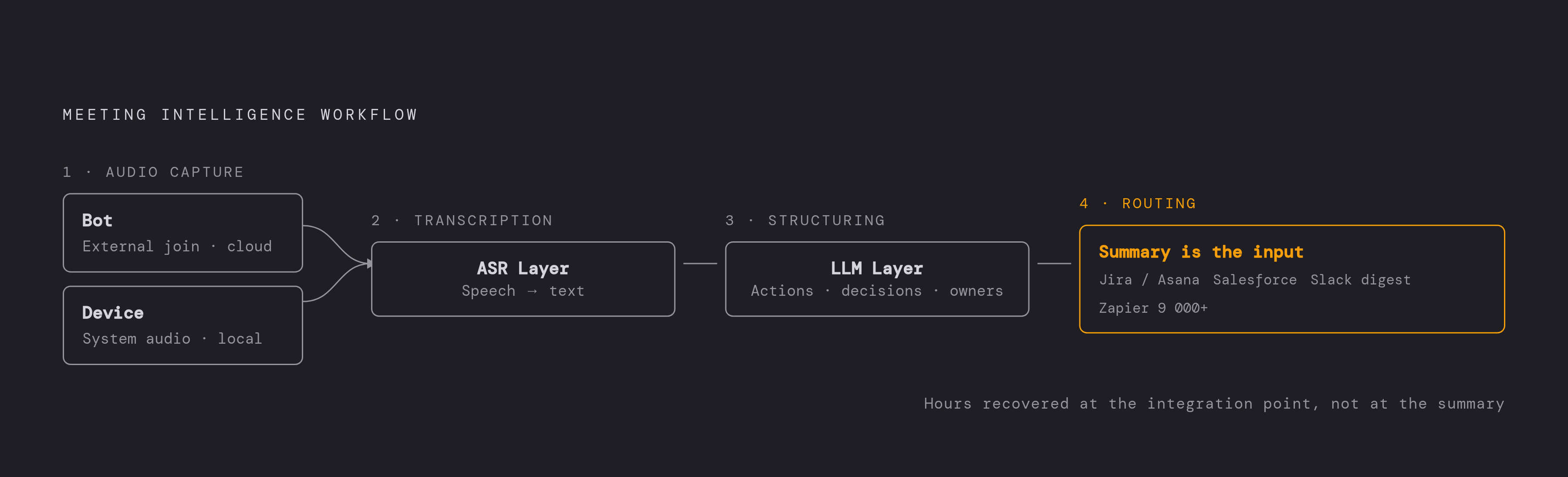
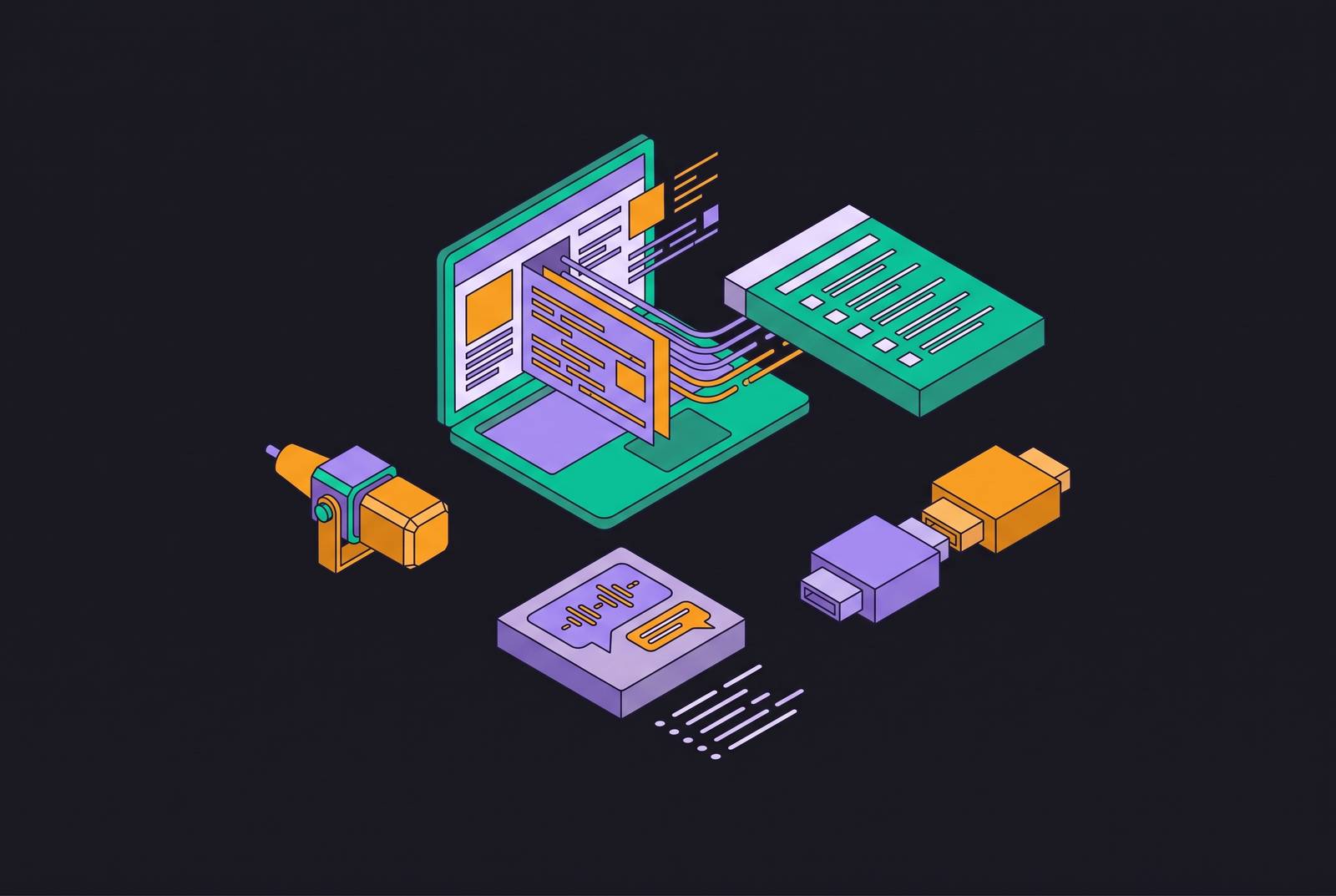
Everything after the meeting is where the real time gets spent: creating the tasks, sending the recap around, updating whatever system tracks the work, chasing people down for follow-ups. The summary is an input into that process, not the output of it. A developer on a standup commits to a delivery date out loud, and the AI layer captures that commitment and opens the matching ticket in Jira, Asana, ClickUp, or Monday, owner and due date already filled in. That's routing. Nobody copies anything into anything.
Custom automations extend the same logic further: pull every blocker mentioned in a standup and drop it straight into a Slack channel, or generate one consolidated weekly digest of sprint decisions across every active project. Fireflies handles this class of work through what it calls "AI Skills," per Cirrus Insight's coverage.
CRM automation has reached a point in 2026 where it's genuinely trustworthy, provided two things get handled correctly: structured field mapping and email matching. Fireflies runs strong automation into both Salesforce and HubSpot, covering AI-powered CRM autofill, contact creation, task automation, deal intelligence, and custom field mapping. Fathom's field sync is considered the deeper option for revenue teams that need full field-level control over their CRM. And for teams that want to build past what any single vendor ships natively, tl;dv connects through Zapier to more than 9,000 apps, with paid plans starting at $18 per user per month billed annually.
The question to ask about any tool isn't how good the recap reads. When a developer commits to a delivery date during a standup, AI captures that commitment and creates the corresponding ticket in Jira, Asana, ClickUp, or Monday, with owner and due date filled in automatically. The last mile here tends to be a small integration, not a big build, and the saved hours appear at that integration point.
Turning meeting output into organizational memory
Start with the forgetting rate, because it reframes the whole problem: people forget half of what happened in a meeting within a day of it ending, and the average professional spends a substantial chunk of every month sitting in meetings to begin with, research cited by Simular.ai shows. That's an institutional memory problem, not a productivity inconvenience. That's an institutional memory problem, and it compounds every week a team doesn't fix it.
Knowledge workers already spend a significant share of their week just searching for information they need to do their jobs, McKinsey research shows, and Panopto's Workplace Knowledge and Productivity Report puts the productivity cost of poor knowledge sharing at large U.S. businesses at $47 million a year. Traditional enterprise search answers a narrow question: where's the file. Organizational memory answers a different one entirely: what did the team decide about this, and why, and it keeps the relationships between people, decisions, projects, and outcomes intact over time instead of flattening everything into a folder tree.
The onboarding case makes this concrete. Searchable meeting history shrinks that window, not by handing a new hire more documents to read, but by giving them the actual context behind decisions that predate their start date. The most advanced setups push past search entirely into active recall: if a team starts discussing a feature that was already tried and shelved, the system pulls up the original decision and the post-mortem on its own, before anyone thinks to ask for it. As of early 2026 this category is still young, but adoption is picking up speed, and enterprise CIOs increasingly rank institutional knowledge retention among their top AI investment priorities.
Connecting meeting data to AI assistants via MCP
The Model Context Protocol, MCP, is an open standard that lets AI assistants reach into external data sources through a secure, structured interface, giving tools like Claude, ChatGPT, and Cursor permission-based access to meeting transcripts, summaries, and action items without anyone exporting a file or pasting text by hand. OpenAI adopted MCP officially in March 2025 and rolled support out across its products including the ChatGPT desktop app, then extended it in September 2025 to allow third-party access from inside ChatGPT itself.
A handful of meeting tools now ship confirmed MCP connectors, and the details differ enough between them that naming them individually clarifies the differences. Granola's MCP connector is a first-party integration bringing meeting notes directly into Claude, ChatGPT, and Cursor, cutting out the manual copy-paste step between applications. Fireflies connects to Claude so transcripts, summaries, and action items become queryable inside Claude directly, running entirely on MCP with nothing exported by hand. Tactiq holds a verified spot in Claude's connector directory with a two-click setup; it captures transcripts through a Chrome extension across Google Meet, Zoom, and Microsoft Teams, the connection itself is read-only, and once it's connected Claude can search past meetings, pull up action items, and reference earlier calls. Jamie runs an MCP server at mcp.meetjamie.ai that works with Claude as a custom connector, though it isn't yet in Claude's verified directory (that listing is in progress); setup means entering the server URL manually and completing an OAuth flow, and MCP access is limited to Pro, Team, and Enterprise plans, but once it's live Claude can list meetings, read summaries and transcripts, search history, and pull tasks. Fellow sits in Claude's official verified connector directory, reviewed and approved by Anthropic for quality and security, and its MCP server works across Claude, ChatGPT, and Cursor; workspace owners decide whether the connection is enabled at all, can revoke it per user, and see every active connection logged in workspace security settings, with users able to query summaries, transcripts, action items, talking points, decisions, and calendar events in plain language once it's turned on.
The practical payoff appears in small moments that add up. A developer working inside Cursor can pull up the technical discussion from a planning meeting without ever switching windows, and pairing Fellow with Linear, Google Drive, or Gmail lets Claude reason across meeting context and the current state of a project at the same time. A Claude Code plus MCP pipeline can take a raw transcript, turn it into a structured summary with tasks, decisions, and calendar invites attached, connect to Google Calendar and Gmail, and store the whole thing in a database anyone can query later. MCP itself isn't the feature here.
Recording consent and compliance, what teams get wrong before they roll out a tool
Most teams roll out an AI notetaker the same way they'd roll out a new calendar app: quietly, without a policy conversation first. That approach of rolling out without a policy conversation first is the mistake. An AI notetaker, at its core, is a tool that uses artificial intelligence to take notes during meetings, built by companies ranging from Microsoft and Google down to smaller, more specialized firms, and some executives now send one into a meeting not just to record it but to answer questions on their behalf. That second use case is where the legal exposure actually starts to compound.
Recording a meeting without every participant's consent raises a real ethical and, in a growing number of jurisdictions, legal problem, and it sits alongside a second risk that gets far less attention: the chance that the notetaker hallucinates and reports something that was never actually said in the room. Beyond consent, meeting recordings and the transcripts generated from them create genuine privacy and security exposure given how much sensitive information passes through an ordinary meeting. For organizations, that cascades into a list of compliance questions that don't resolve themselves automatically: participant notice and consent requirements, how long a recording or transcript gets retained, which vendors can access that data and under what terms, whether any biometric data gets captured incidentally, confidentiality obligations, and, in legal or regulated contexts, attorney-client privilege. None of these questions get easier to answer after a tool's already recording every call a team runs.