Real-Time Transcription vs Post-Meeting Processing Tradeoffs
Real-time and post-meeting transcription solve different problems, not speeds.
Real-time and post-meeting transcription solve different problems, not the same problem at different speeds. Both start with the same audio pipeline, but they split at the point where a decision gets made about when to commit to a word, and that fork explains most of the tradeoffs teams hit when they pick a tool. Teams that treat "real-time" as a premium toggle on "regular" transcription end up picking the wrong mode for the wrong meeting, and it happens more often than the industry likes to admit.
Real-Time and Post-Meeting Transcription as Separate Technical Paths
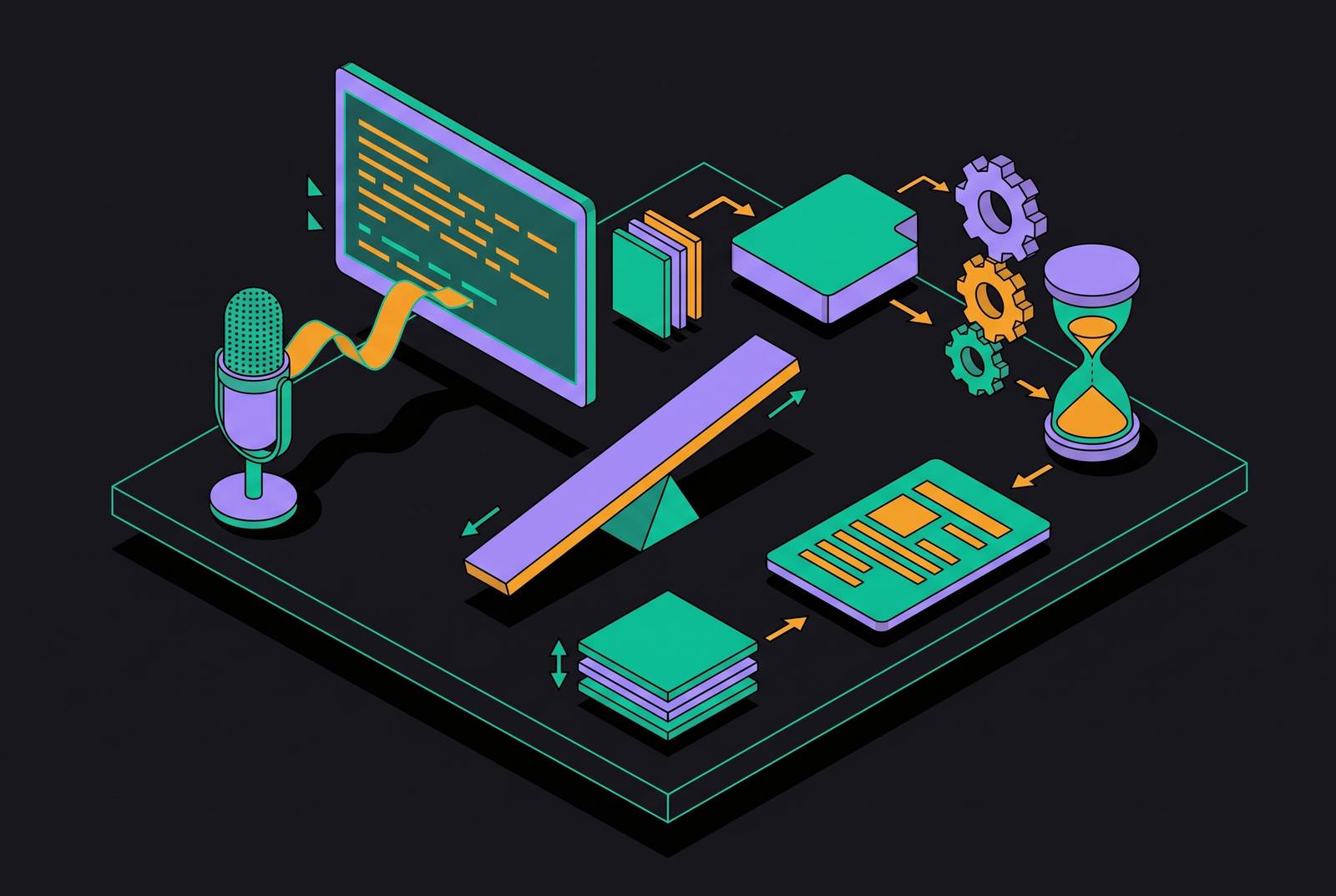
Every automatic speech recognition system, live or not, runs the same sequence: audio capture, acoustic modeling, language modeling, speaker diarization, then a layer of language cleanup. Up to that final stage, the two modes are doing identical work.
The split happens at commitment. A real-time system has to stream partial text while the words are still being spoken. It's guessing with incomplete information and revising that guess as more audio arrives. That's why live captions flicker: a word gets transcribed one way, then corrected a beat later once the model hears what comes after it. Post-meeting processing carries no such constraint. The full audio file exists before the model starts, so it can weigh the entire sentence, sometimes the entire meeting, before settling on a final word. One system decides under time pressure. The other doesn't have to, and that single difference in constraint is the whole story behind why these are two products, not one product with a speed dial.
The size of the accuracy gap between the two modes
Vendors like to cite numbers near 99% accuracy, and under clean conditions, one speaker, no jargon, no cross-talk, that number holds up. Real meetings rarely offer those conditions. Reported accuracy for AI meeting transcription in practice ranges from 82% to 98% depending on setup, and under harder conditions, heavy accents, overlapping speakers, a conference room with bad acoustics, dense technical vocabulary, accuracy can fall to 86-89% regardless of which mode is running.
That's a real gap. It is not, however, the gap most people think they're buying when they pick real-time over post-processing. Holding audio quality constant, the accuracy difference attributable specifically to processing mode is typically small, on the order of a few percentage points at most. Audio quality and speaker behavior move the needle far more than the choice between generating the transcript live or afterward, and anyone choosing post-meeting processing purely to chase a big accuracy win is solving the wrong problem. The bigger lever sits somewhere else: the microphone, the room, how many people are talking over each other. Fix those first.
What real-time transcription enables that post-meeting processing cannot
Accuracy isn't the whole argument. Real-time earns its place no matter how the numbers above shake out, and it earns it on a different axis.
Live captions are a genuine accessibility requirement for participants who are deaf or hard of hearing. No amount of post-meeting polish substitutes for text that appears while someone is speaking. In-meeting search works for the same reason: finding what got said ten minutes ago, without pausing to scrub a recording, only works if a live transcript already exists to search against. Real-time processing makes action items available before the meeting ends rather than surfacing them in a summary the next morning. Multilingual meetings also benefit: real-time output can support in-the-moment language access in a way a transcript generated after the fact cannot do for someone who needed it in the room, at that moment, to participate.
These capabilities share one trait. They only work if the transcript exists while the meeting is still running. Post-meeting processing, however accurate, arrives too late for every one of them, and no amount of downstream polish closes that gap.
Bot-Based vs. Botless Capture and Available Processing Modes
How the audio gets captured often decides which processing mode a team even gets to choose, before anyone thinks about accuracy.
Two capture architectures dominate. Bot-based tools send a third-party attendee into the call, a visible participant that records server-side and either streams text live or batch-processes the recording afterward. Botless, device-level tools skip the visible attendee: audio gets captured locally from the device or a browser extension and processed once the call ends. A bot sitting in the participant list is visible to everyone on the call, which some teams want for transparency and others resent because it changes how people talk. Device-level capture sidesteps that visibility question but ties the tool to whatever device someone happens to be using that day, which creates its own headaches once someone switches from a laptop to a conference room system.
The line between the two has blurred going into 2026. Several bot-based platforms now offer bot-free desktop modes alongside their standard meeting bots, and at least one competitor runs a bot-free Mac experience in beta. So the choice isn't always a hard fork anymore. It still determines, upstream of any accuracy debate, whether real-time streaming or batch processing is even on the table for a given setup, and teams that pick capture method without asking that question first often find out the hard way, mid-rollout, that the mode they wanted isn't available on the architecture they bought.
Workflow integration as a downstream decision on processing mode, not a leading one
By 2026, nobody wants a raw transcript sitting in a folder. Teams expect structured output: an executive summary, a list of decisions, action items with named owners and dates, open questions, content organized by topic instead of dumped in chronological order.
Neither real-time nor post-meeting processing produces that structure on its own. Both need a large language model layered on top of the raw ASR output to turn transcript into synthesis. So the real-time versus post-processing debate sits upstream of the question most teams actually care about day to day. The decision that matters more, once transcription mode is settled, is how that structured output lands in the tools a team already runs. Native integrations write action items and summaries straight into CRM records, contact fields, opportunity stages, activity logs, with no one copying anything by hand. Zapier-style connectors can approximate this, but they need ongoing maintenance and tend to break quietly the moment an API changes on either end, usually at the worst possible time.
One vendor in this space lists more than 50 native integrations pushing meeting output into Salesforce, HubSpot, Slack, Asana, and Notion, and estimates the setup saves something like 10 to 15 minutes of manual data entry per meeting. The integration layer determines how much manual work the team actually saves, more than the transcription mode does.
The presence cost that neither processing mode resolves on its own
Neither mode fixes what meetings cost the people sitting in them. Research has found that the average professional spends roughly 31 hours a month in meetings, and separately, participants forget about half of what got discussed within 24 hours, a figure noted by Atlassian for the meeting-time statistic, with the forgetting rate documented independently. That's a memory problem, and transcription happens to help with it. It does nothing, though, for the separate fact that people stop paying attention during meetings.
Typing notes during a live conversation pulls focus the same way checking a phone does. Someone heads-down typing misses the pause before a hard question gets answered, the aside that wasn't meant to be a decision, the shift in tone nobody named out loud. A transcript doesn't capture any of that either, but at least it frees a person from choosing between listening and writing. Adoption data backs this up: 85% of users say automated transcription lets them focus on higher-value parts of the conversation instead of note-taking, and 62% report saving more than four hours a week once it replaces manual notes.
Real-time transcription trades one distraction for another, though. It frees people from typing, but the live scroll of text pulls a different kind of attention. Some participants end up reading the transcript instead of watching the person talking, tracking words instead of the room. Presence is something a team has to manage on top of whichever mode it picks. No processing mode does that work for you, and pretending otherwise is how teams end up more distracted with the tool than they were without it.
Organizational memory as the long-run argument for post-meeting processing quality
Meeting AI's real value is drifting away from convenience during the call and toward what a team can retrieve months later. That shift is where post-meeting processing quality earns its keep, since the payoff compounds long after the meeting itself ends.
The most underused capability heading into 2026 is recall across meetings: asking what the team decided about pricing last quarter and getting a cited answer pulled from a specific past conversation instantly, instead of someone trying to remember which call that was or digging through a shared drive. That capability depends entirely on structured, well-processed, searchable output accumulated over time, which makes it squarely a post-meeting processing problem, not a real-time one.
Organizations are drowning in information and starving for memory. Meetings generate more discussion, more decisions, more context than any prior era, and almost none of it survives past the people who were in the room. A senior engineer leaves, and the reasoning behind a hard architectural call leaves with her. A product manager moves teams, and the institutional memory of why a launch failed, what got tried, what got ruled out, goes with him. A consultant wraps an engagement, and the client is left holding a deck summarizing conclusions instead of the thinking that produced them. None of that is a failure of transcription speed. It's a failure to retain, structure, and make searchable what already got said out loud. Post-meeting processing, done well, is the fix, because it's built for depth and retrieval rather than the moment.
Matching processing mode to meeting type: a decision framework
Real-time and post-meeting processing solve for different situations, and most organizations need both once they stop treating this as an either-or choice.
Real-time earns its place when accessibility compliance requires live captions, when a live sales call benefits from mid-call coaching, when participants speak different languages and need translation as the conversation happens, or when in-meeting search and live action-item flagging genuinely change how the meeting runs. These are moments where information loses its value if it arrives even five minutes late.
Post-meeting processing is the better call when accuracy is non-negotiable: legal review, compliance documentation, medical records, board minutes, situations where the extra points of precision from full-context processing are worth the wait. Cost pushes in the same direction. Real-time processing typically runs two to three times more expensive than batch processing, since it demands sustained compute the instant speech happens rather than at a scheduled, batchable interval. Sensitive conversations favor post-meeting processing too: a visible bot in the call, or a live transcript scrolling on screen, changes what people are willing to say, and removing that visible presence tends to produce a more honest meeting. Whenever the actual goal is organizational memory, structured, searchable, wired into a CRM or project tool rather than watched live, post-processing is the mode built for it.
Capture method belongs in this decision too, right alongside processing mode. If a visible bot changes how people behave in a meeting, botless device-level capture paired with post-processing is the practical combination. For teams already running platforms with built-in real-time transcription, layering a separate tool focused on post-meeting synthesis on top gets the strengths of both, instead of forcing a choice the situation doesn't actually require.